NECO Result Checker: How To Check Your NECO Result Online (Step-By-Step Guide For 2026)
If you recently wrote the NECO examination, one of the most important things on your mind is likely how to access your result quickly and safely. The NECO result checker is the official tool used by candidates to view their examination performance online without visiting any physical office. With just a scratch card or token and a few personal details, students can easily check their scores from any mobile phone or computer.
In this post, I will walk you through the official process, common errors, and safety tips to ensure you only use trusted sources when checking your result from the official examination body, the National Examinations Council.
What Is NECO Result Checker?
The NECO result checker is an online system provided by the National Examinations Council that allows candidates to access their examination results through the internet.
Instead of waiting for schools or printed result slips, students can:
- Enter their examination number
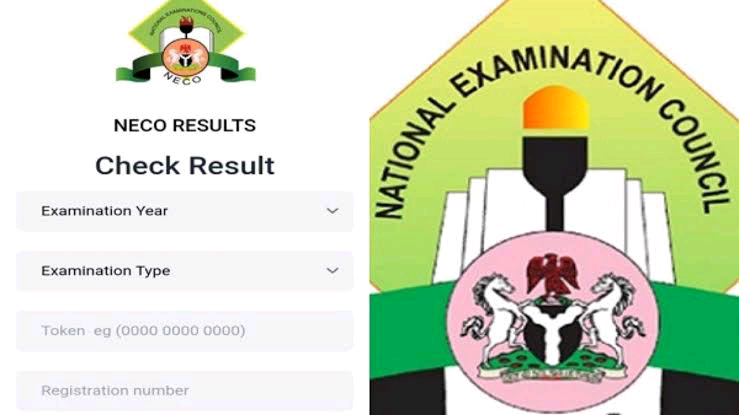
- Select exam year and type
- Input a result checker token (scratch card PIN)
- View their full results instantly
This system is designed to make result checking faster, more secure, and accessible from anywhere in Nigeria or abroad.
Why You Need A NECO Result Checker Token
To access your result, you cannot simply enter your details alone. You must purchase a NECO result checker token or scratch card PIN.
What the token does:
- It verifies that you are an authorized candidate
- It prevents unauthorized access to results
- It allows a limited number of result checks (usually multiple attempts depending on usage)
Without this token, you will not be able to view your result on the portal.
Step-By-Step Guide: How To Check NECO Result Online
Here is a simple breakdown of how to use the NECO result checker system:
Visit The Official NECO Result Portal
Go to the official result checking website provided by the examination council. Always ensure the website is correct to avoid fake platforms.
Select Your Examination Year
Choose the year you wrote the exam (for example, 2025 or 2026).
Select Examination Type
You will see options such as:
- SSCE Internal
- SSCE External (GCE)
Choose the one you wrote.
Enter Your Examination Number
Your exam number is usually provided by your school or exam center. Enter it carefully without mistakes.
Enter Your Token Or Scratch Card PIN
Input your NECO result checker PIN and serial number from your scratch card.
Click “Check Result”
Once everything is correctly entered, click the check button. Your result will appear on the screen within seconds.
Where To Buy NECO Result Checker Token
You can buy a NECO scratch card or token from:
- Accredited cyber cafés
- Licensed NECO offices
- Approved online vendors
Some bank platforms (depending on availability)
Important warning:
- Avoid buying from unknown sellers on social media. Many fake cards exist online.
Common Problems When Checking NECO Results
Sometimes candidates experience issues when trying to check their results. Below are common problems and solutions:
Invalid PIN Ir Serial Number
- This happens when you enter the wrong digits
- Double-check your scratch card carefully
Result Not Found
- The result may not yet be uploaded
- Try again after some hours or days
Incorrect Exam Number
- Ensure you are using the correct examination number provided by your school
Website Not Loading
- This may be due to high traffic
- Try again during off-peak hours (early morning or late night)
Tips For Safe And Successful Result Checking
To avoid stress and scams, follow these tips:
- Always use the official NECO website
- Do not share your PIN with strangers
- Avoid free “result checker” promises on social media
- Keep your scratch card safe after purchase
- Use a stable internet connection
Understanding Your NECO Result
Once your result appears, you will see different grades for each subject.
Typical grading includes:
- A1: Excellent
- B2: Very Good
- B3: Good
- C4–C6: Credit
- D7: Pass
- E8: Weak Pass
- F9: Fail
These grades determine your admission eligibility into higher institutions in Nigeria.
Why NECO Results Matter
Your NECO result is important because it:
- Determines your eligibility for university admission
- Is accepted by most Nigerian tertiary institutions
- Can be combined with WAEC results for admission
- Helps in scholarship opportunities
A strong result increases your chances of studying your preferred course.
Frequently Asked Questions – (FAQs)
Can I Check NECO Result Without Scratch Card?
No. You must use a valid NECO result checker PIN.
How Many Times Can I Use One Token?
Usually, a token can be used multiple times, but it depends on NECO’s current policy.
Can I Check NECO Result On My Phone?
Yes. You can check using any smartphone with internet access.
What should I Do If My Result Is Not Showing?
Wait a few hours or days and try again. If the problem continues, contact NECO support.
Is The NECO result Checker Free?
No. You must purchase a scratch card or token to access your result.