NECO Result Checker PIN: How To Buy It & How To Use It (2026 Guide)
Are you searching for NECO Result Checker PIN, if yes, then you’re in the right place. In this post, I detailed everything you need to know about NECO Result, including where to buy your token and common mistakes you should avoid. Let’s get started
What Is NECO Result Checker PIN?
The NECO result checker PIN is a unique code used to access and view your NECO examination results online.
In simple terms:
It is like a “password” that allows you to log in and check your NECO result.
Without this PIN, you cannot view your result on the official NECO portal.
What The PIN Includes
A typical NECO result checker PIN contains:
- A numeric code (usually hidden under a scratch card)
- A serial number
- Instructions for use
It is usually found on a NECO result checking scratch card, either physical or digital.
Why The NECO Result Checker PIN Is Important
The PIN system is used for several important reasons:
Security
It ensures only registered candidates can access their results.
Controlled Access
NECO uses it to manage traffic on their result portal.
Verification
It confirms that the user is an actual candidate or authorized checker.
Prevention Of Unauthorized Access
It reduces the risk of fake or manipulated result viewing.
Where To Get NECO Result Checker PIN
One of the most common questions is:
“Where can I buy NECO result checker PIN?”
Here are the trusted places:
Accredited Banks
- Many commercial banks in Nigeria sell NECO scratch cards.
NECO Offices
- You can visit NECO state offices to purchase directly.
Approved Online Platforms
- Some trusted educational websites and fintech platforms also sell PINs digitally.
Cyber Cafes
- Most cyber cafes near schools or exam centers sell and help students check results.
Warning About Fake PIN Sellers
Because demand is high during result release periods, scammers often take advantage.
Be careful of:
- Fake websites offering “cheap PINs”
- Social media sellers without verification
- Unknown WhatsApp vendors
Safety Tips:
- Only buy from trusted sources
- Confirm website legitimacy
- Avoid deals that look “too cheap to be real”
How Much Is NECO Result Checker PIN?
The price is not fixed permanently, but typically:
- Between ₦500 to ₦1,500 depending on location and vendor
- Prices may increase slightly during peak result periods due to demand.
How To Use NECO Result Checker PIN (Step-by-Step)
If you already have your PIN, follow these simple steps:
Visit The Official NECO Result Portal
- Go to the official NECO result checking website using your phone or computer browser.
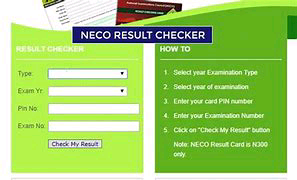
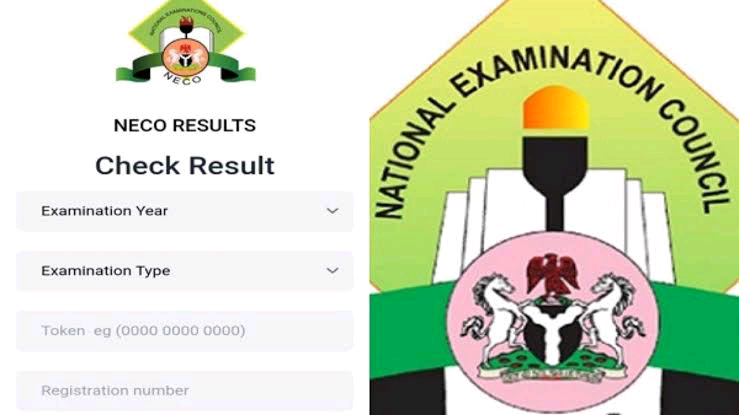
Enter Your Examination Details
You will need:
- Your NECO exam year
- Examination type (SSCE internal or external)
- Your examination number
Enter The PIN
Carefully scratch your card (if physical) and enter:
- The PIN code
- The serial number
Submit And View Result
- Click “Check Result” and wait for your results to display.
Common Mistakes People Make
Many candidates face issues due to simple errors such as:
Wrong PIN Entry
- Typing mistakes can block access.
Using Expired Cards
- Old scratch cards may no longer work.
Wrong Exam Details
- Incorrect exam number or year leads to “No result found.”
Network Issues
- Slow internet can interrupt result loading.
Benefits Of Using NECO Result Checker PIN
The PIN system offers several advantages:
Fast Access
- You can check results instantly online.
Convenience
- No need to visit NECO offices physically.
Privacy
- Only you can access your result with your PIN.
Accessibility
- Works anywhere with internet access.
Frequently Asked Questions – (FAQ)
Can I Use One PIN more Than Once?
Yes, but most PINs have a limited number of uses (usually 5 checks).
What Happens If My PIN Is blocked?
You may need to buy a new one if usage limit is exceeded.
Can I Check NECO Result On My Ohone?
Yes, the system works on mobile phones, tablets, and computers.
Is The NECO Result Checker PIN The Same Every Year?
No, new PINs are issued for each examination cycle.
Can I Check Result Without PiN?
No, the PIN is required for access.
Tips Dor Successful NECO Result Checking
To avoid stress during result checking:
- Always double-check your exam number
- Keep your PIN safe before use
- Use strong internet connection
- Avoid peak hours if the site is slow