How To Check JAMB Result 2025 (Step-by-Step Guide For Candidates)
If you’re wondering how to check your JAMB result, you’re not alone. Every year, thousands of candidates across Nigeria search for quick and reliable ways to access their UTME scores. Using the wrong steps or unofficial channels can cause delays, errors, or even scams, leaving candidates stressed and anxious.
The good news is that the Joint Admissions and Matriculation Board provides official, easy-to-follow methods to check your result safely—whether online or via SMS. In this guide, you’ll discover the step-by-step process to check your JAMB result in 2025, so you can see your score quickly, securely, and without any confusion.
What Is JAMB And Why Your Result Matters
The Joint Admissions and Matriculation Board (JAMB) is the official body responsible for conducting the UTME exam in Nigeria.
Your JAMB result is important because:
- It determines your eligibility for university admission
- It is used by schools to set cut-off marks
- It plays a major role in your admission chances
That’s why checking your result correctly—and early—is very important.
When Are JAMB Results Released?
JAMB results are usually released a few days after the exam. In most cases:
- Some results come out within 24–72 hours
- Others may take a few days due to verification
If your result is not out yet, don’t panic—it may still be processing.
Requirements To Check Your JAMB Result
Before you proceed, make sure you have at least one of the following:
- Your JAMB registration number (optional for some methods)
- The phone number you used for registration
- Airtime (for SMS method)
- Internet access (for online checking)
Method 1: How To Check JAMB Result via SMS (Fastest Method)
This is the easiest and most reliable method, especially if you don’t have internet access.
Steps to Follow:
1. Open your phone’s SMS app
2. Type UTMERESULT (in capital letters)
3. Send it to 55019 or 66019
4. Wait for a reply from JAMB
Important Notes:
- Use the same phone number you used during registration
- Make sure you have at least ₦50 airtime
- Do not send multiple messages repeatedly
What You’ll See:
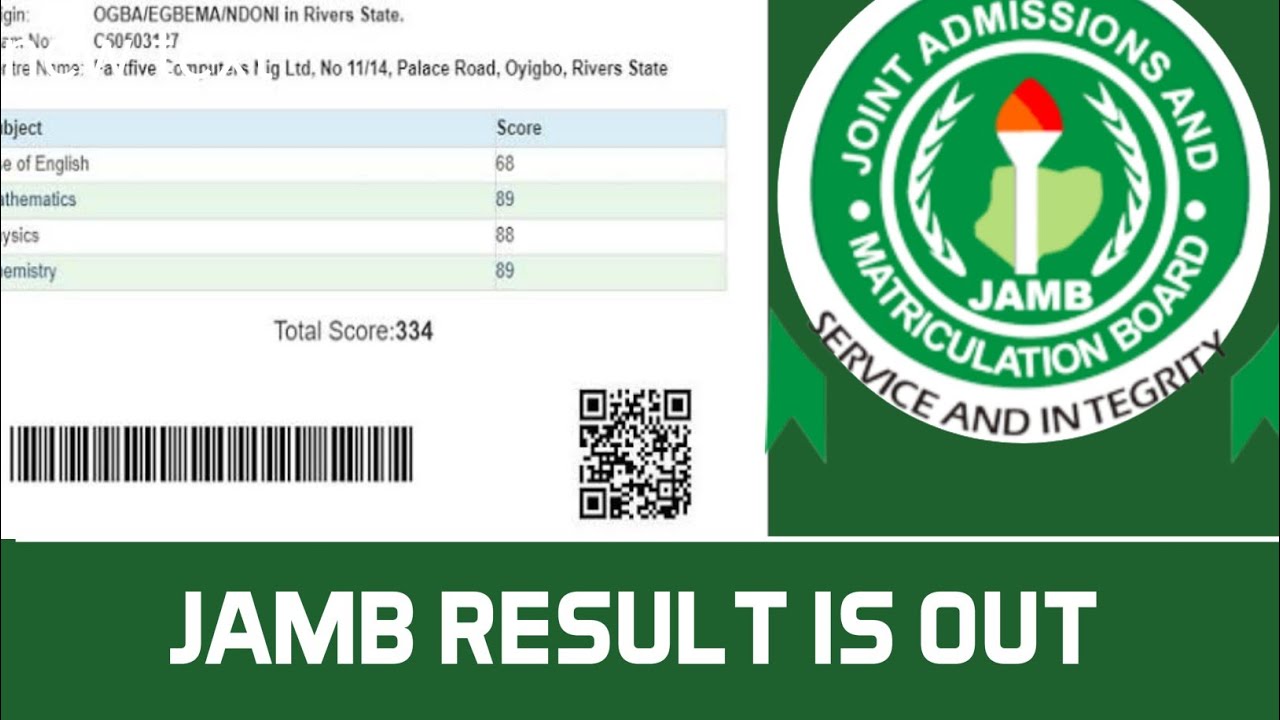
- Your JAMB score
- Or a message explaining your result status
Method 2: How To Check JAMB Result Online (Portal Method)
If you prefer using the internet, you can check your result through the official JAMB portal.
Step-by-Step Guide:
1. Visit the official JAMB result portal
2. Enter your registration number or phone number
3. Click on “Check My Result”
4. Your result will appear on the screen
Tips for success:
- Use a good internet connection
- Double-check your details before submitting
- Avoid using fake or unofficial websites
Method 3: Check Result Via JAMB eFacility Portal
This method allows you to print your original result slip (may require a small fee).
Steps to follow:
1. Log in to your JAMB profile
2. Click on “Print Result Slip”
3. Make payment if required
4. Download and print your result
This is useful if:
- You need your result for admission screening
- Your school requests the official result slip
Common Problems And How To Fix Them
Sometimes, candidates face issues while checking their results. Here are common problems and solutions:
“Result Not Available”
- Meaning: Your result is not yet released
- Solution: Wait and try again later
“Invalid Entry”
- Meaning: Wrong registration number or phone number
- Solution: Double-check your details
No SMS Response
Possible Causes:
- Low airtime
- Wrong phone number
- Network issues
Solution:
- Recharge your line
- Use your registered number
- Try again after some time
“Result Withheld”
This usually happens due to:
- Suspected exam malpractice
- Verification issues
What to do:
- Stay calm
- Wait for official updates from JAMB
Important Tips To Keep In Mind
To avoid mistakes while checking your result, follow these tips:
- Always use official JAMB channels only
- Never pay anyone to “upgrade” your result (this is a scam)
- Keep your details private
- Save or screenshot your result immediately
What To Do After Checking Your JAMB Result
Once you’ve seen your score, the next steps are very important.
Compare Your Score With School Cut-Off Marks
Each university has its own cut-off mark. Check if your score meets the requirement.
Prepare For Post-UTME (If Required)
Some schools conduct additional screening. Stay updated.
Consider Change Of Institution (If Needed)
If your score is low, you can apply for a change of course or institution.
Upload Your O’Level Result
Make sure your WAEC/NECO results are uploaded on the JAMB portal.
Frequently Asked Questions – (FAQs)
Is JAMB Result Out?
JAMB results are released in batches. If yours is not out yet, keep checking.
How Many Times Can I Check My Result?
You can check as many times as you want, but SMS charges may apply each time.
Can I Check My JAMB Result Without Internet?
Yes, using the SMS method.
What If I Lost My Registration Number?
You can still check your result using your registered phone number.
Is It Free To Check JAMB Result?
- SMS method: Requires airtime
- Online method: Free (but needs data)
Safety Warning: Avoid Scams
Many fake websites and individuals claim they can:
- Upgrade your score
- Release your result faster
- “Fix” withheld results
These are scams.
JAMB does NOT:
- Upgrade results
- Ask for payments through random agents
- Release results outside official channels
Always stay safe and use only verified platforms.